
A French guest just arrived and can't figure out how the shower works. Another, from Germany, doesn't know where to put the recycling. Communicating that through gestures or pasting everything into Google Translate on WhatsApp is a nightmare — and it usually costs you stars in the review.
The good news: with a digital guide, you break the language barrier effortlessly. You write once, in your language, and guests read it in theirs. Here's how it works.
What is Guialo?
If you work with holiday rentals, you know communication is the key to perfect reviews. Guialo is a platform that centralises all your property's information — from the Wi-Fi password to house rules and local tips — in an elegant web app, accessible via link or QR code. If you don't have yours yet, you can create one for free.
But what happens when the guest doesn't speak your language? That's what multi-language support is for — you only need to create the version in your own language, and the system takes care of the rest.
1. Activating languages in your guide
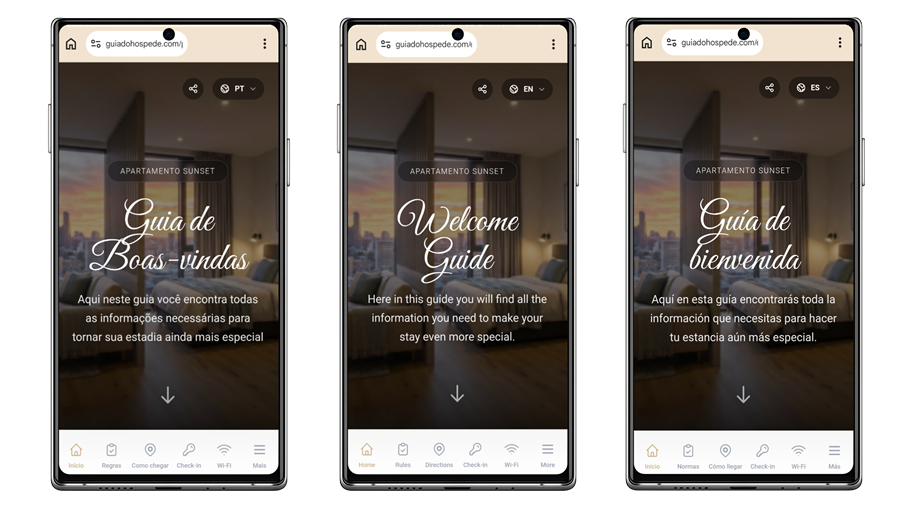
The platform lets you offer the guide in multiple languages: English, Spanish, and Portuguese. On the main editing screen, you'll see a top bar with toggle buttons for each language — just click the ones you want to activate. From there, your guide is ready to welcome international guests.
2. The magic of automatic translation (autopilot)
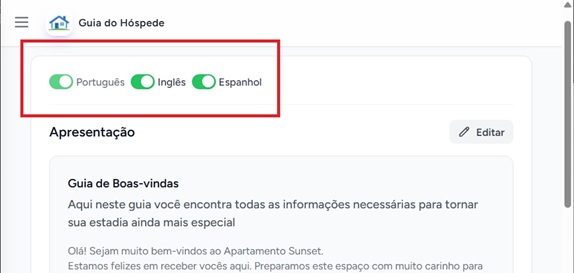
A host's life is busy, so the platform was designed to be practical: you don't need to translate anything manually. If you activate other languages but only fill in the fields in your own, the system does the heavy lifting — when an international guest selects their language, the content is automatically translated in real time. In other words: write once, serve the whole world.
3. Review and cultural adaptation (manual mode)
Although automatic translation is excellent, sometimes you want to fine-tune the message. A local guest already knows how a gas heater works; for a visitor from another country, a more detailed explanation might be worth it. That's what manual language editing is for.
When you open any section for editing (like "House Rules" or "Local Tips"), look for the "View translations" button in the top right corner. It reveals separate editors for each activated language, where you can:
- Click "✨ Translate (AI)" to generate the translation instantly and read the result.
- Edit the translation to include notes just for international guests.
If you fill in the foreign-language field, the system respects your text. If you leave it blank, it uses the automatic translation. That simple. The same care with clear explanations applies to your home's equipment — see how to guide equipment use.
4. The guest's view
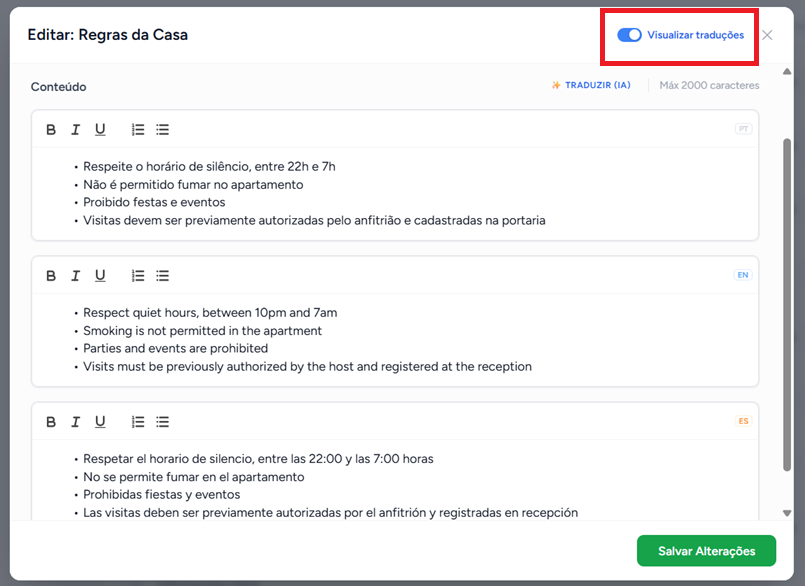
And how does the guest pick the language? As soon as they open the guide (via the link or by scanning the QR code at the property), they see an elegant language selector at the top of the screen. With one tap, the entire interface and your texts switch to their native language. It's the kind of detail that creates instant comfort, reduces arrival anxiety, and almost always turns into a 5-star review praising your communication. It's no coincidence that clear communication is one of the pillars of hosts who collect 5 stars on Airbnb.
Check out the demo guide from Guialo and see how this information reaches the guest in practice.
Frequently asked questions
Do I have to translate the guide manually?
No. Just write it in your language and activate the others. The system translates automatically when the guest selects their language. Manual editing exists only for when you want to adjust something.
Which languages does the guide support?
English, Spanish, and Portuguese. You create the content in your language and guests read it in whichever they prefer.
Is the automatic translation reliable?
Yes, it's well suited to the practical information in a guide. Even so, you can review and manually edit any language for cultural adaptations or specific notes.
Does the guest need to install anything to switch languages?
No. They open the guide in their smartphone browser and switch languages with a selector at the top of the screen — no app to install.


